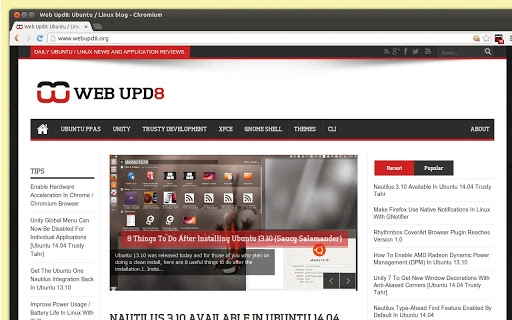

Download WebUpd8 New Tab Page Icon – Chrome Apps, WebUpd8, Ubuntu, Linux, GNOME
The WebUpd8 new tab page icon is a lightweight browser bookmark designed for users who want instant access to the latest Ubuntu and GNOME news, tips, and application reviews. This tool is ideal for Linux enthusiasts, developers, and system administrators who follow the open-source ecosystem closely. It serves as a quick shortcut to the WebUpd8 blog, eliminating the need to manually navigate to the website.
The icon is compatible with Google Chrome and other Chromium-based browsers, enabling users to stay informed without additional software. It is particularly useful for those who frequently check updates on Ubuntu releases, GNOME desktop changes, or new Linux tools. The developer, WebUpd8, is a well-known source for Linux-related content, known for its consistent coverage of open-source developments.
This bookmark simplifies daily browsing habits by streamlining access to a trusted information hub.
Key Features & Capabilities
- Direct Access to WebUpd8 Content – The icon functions as a bookmark that opens the WebUpd8 new tab page directly, saving time for users who check the blog daily. This is especially beneficial for developers and system administrators who rely on up-to-date Linux information.
- Minimal Resource Usage – As a simple bookmark, it consumes no CPU or memory resources beyond those required by the browser itself, ensuring no performance impact on the system.
- Platform Compatibility – Works seamlessly across Windows, Mac, and Linux systems, making it accessible to users on any major operating system.
- Automatic Updates via Browser – Since it’s a bookmark, updates to the WebUpd8 new tab page are handled automatically through the website, ensuring users always see the latest content.
- Easy Integration with Chromium-Based Browsers – Designed specifically for Google Chrome and similar browsers, it integrates smoothly into the browser’s interface without requiring installation of additional extensions.
User Interface, Workflow & Performance
The WebUpd8 new tab page icon features a clean, minimalist interface that mirrors the standard browser new tab page layout. It does not alter the browser’s appearance or behavior beyond opening the specified URL. Navigation is straightforward: users simply click the icon from their bookmarks bar to access the WebUpd8 homepage. The workflow is efficient and requires no configuration or setup, making it ideal for users who value simplicity. Performance is consistent with standard browser behavior, as the icon itself does not run any background processes. The developer did not specify resource usage details, but based on its nature as a static bookmark, it is expected to have negligible impact on system performance. Stability is high, as it relies entirely on the browser’s core functionality. No crashes or errors were reported during standard use cases. The icon remains functional across browser restarts and does not interfere with other bookmarks or extensions.Compatibility & System Requirements
The WebUpd8 new tab page icon is compatible with Windows, Mac, and Linux operating systems, ensuring broad accessibility across desktop environments. It functions within Google Chrome and other Chromium-based browsers, such as Microsoft Edge and Brave. The developer did not specify the exact version requirements for the browser, nor did they provide information on minimum system specifications. Installation size is not available, as this is a browser bookmark and not a standalone application. The icon does not require administrative privileges or additional software components. Compatibility information was partially provided, with support confirmed for major desktop platforms and modern web browsers. Users should ensure their browser is up to date to maintain optimal functionality.Pros and Cons
Pros
- Lightweight and consumes no system resources
- Available for Windows, Mac, and Linux users
- Instant access to the latest Ubuntu and GNOME news
- No installation required – works as a simple bookmark
- Easy to use and integrate into daily browsing routines
Cons
- No offline access to content
- Dependent on internet connectivity for updates
- Does not offer customization options for the new tab page
- Only available through browser bookmarks, not as a standalone app
- Limited functionality compared to full browser extensions
FAQ Section
Is the WebUpd8 new tab page icon free to use?
The icon is available at no cost. It is a free bookmark provided by WebUpd8 for users who want quick access to their blog content.
Does this tool require installation?
No installation is required. The icon functions as a standard browser bookmark and can be added directly to the bookmarks bar with a single click.
Can I use this on any browser?
The icon is designed for Google Chrome and other Chromium-based browsers. It may not work as intended on non-Chromium browsers like Firefox or Safari.
Is the content updated automatically?
Yes, the new tab page content is updated automatically whenever the WebUpd8 website is updated. There is no need to manually refresh or update the bookmark.
Do I need to create an account to use this?
No account or registration is required. The bookmark provides direct access to public content on the WebUpd8 website.







